
Best Free AI Image Generators in 2026

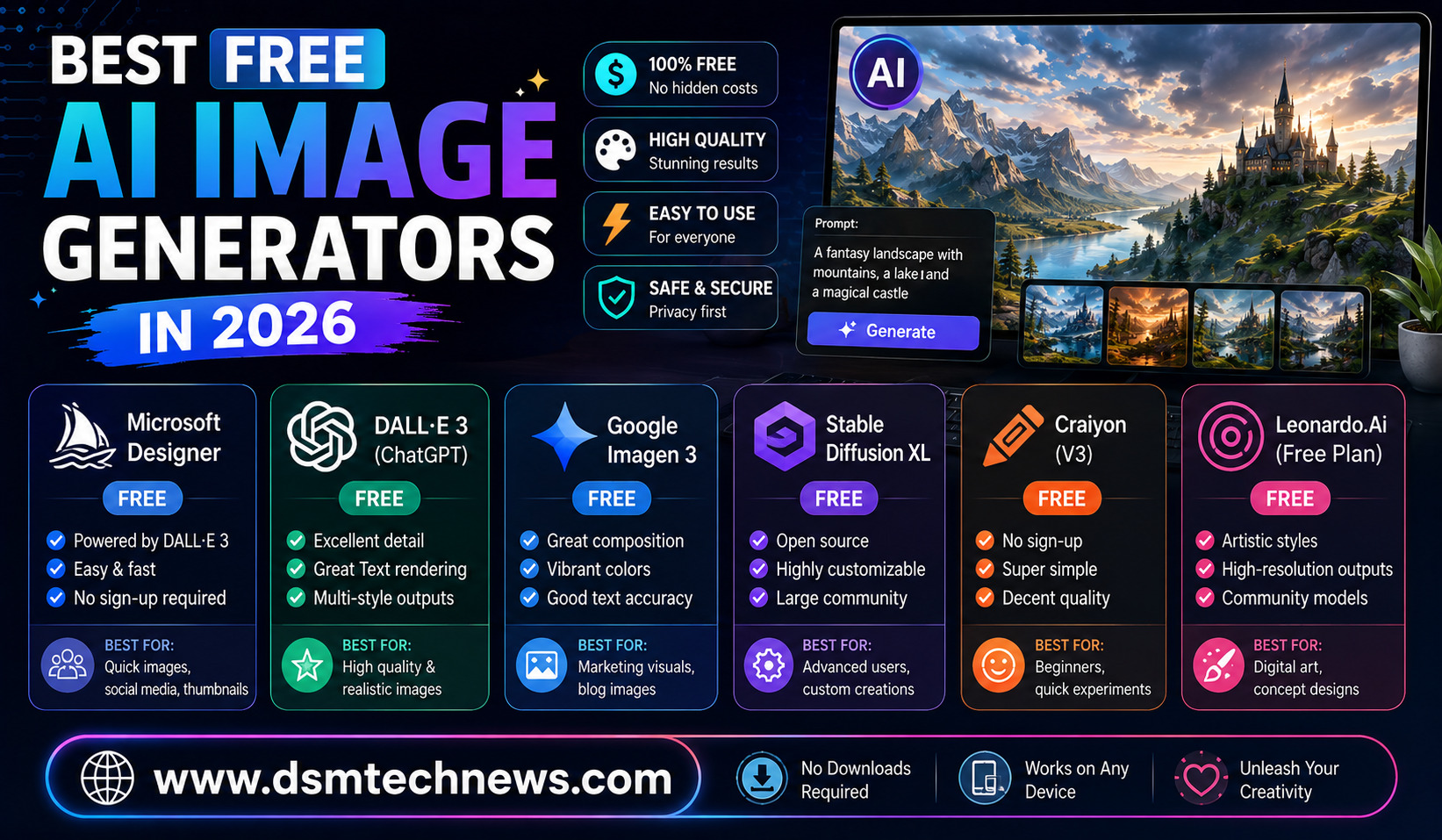
AI image generators have become one of the easiest ways to create professional-looking visuals without hiring a designer or learning complicated software. In 2026, free AI image generators are more capable than ever, offering realistic photography, illustrations, product visuals, social media graphics, posters, concept art, and image editing from simple text instructions.
The biggest improvement is that these tools are no longer limited to basic text-to-image generation. Many can now understand detailed prompts, edit existing images, work with reference images, generate readable text, and make multiple versions of the same concept.
However, “free” does not always mean unlimited. Most major platforms provide a free tier with daily or monthly generation limits. Adobe Firefly, for example, currently offers limited free daily generations across selected image, video, and audio features.
If you want to create AI images without immediately paying for a subscription, here are some of the best options to consider in 2026.
Google Gemini
Google Gemini is one of the strongest choices for people who want an easy AI image generator without learning complicated prompting techniques. Its image capabilities have become particularly useful for conversational creation and editing.
One of Gemini’s biggest advantages is that users can describe an idea naturally and then continue refining the result. Instead of generating a completely new image every time, you can ask for changes to elements such as the background, composition, objects, or overall appearance.
Recent evaluations of leading image models also show Gemini’s image-generation capabilities performing strongly on difficult prompts involving multiple objects, spatial relationships, and text.
Gemini is especially useful for bloggers, students, social media creators, and people who want to experiment with AI images without a complicated interface.
ChatGPT
ChatGPT is another convenient option for AI image creation, particularly for users who prefer a conversational workflow.
Instead of opening a separate design application, you can explain the image you need directly in a chat. You can describe the subject, visual style, composition, lighting, dimensions, and purpose of the image and then refine the result through follow-up instructions.
This makes ChatGPT particularly useful for blog featured images, article illustrations, social media graphics, marketing concepts, and creative experiments.
The main advantage is simplicity. You do not necessarily need to understand technical prompt engineering because the conversation itself can help develop the image idea.
For users already working with AI for writing and research, having image generation within the same workflow can also save time.
Adobe Firefly
Adobe Firefly is one of the strongest free choices for creators who want image generation combined with professional editing features.
Adobe currently offers a Firefly Free plan with limited daily generations and access to selected image, video, and audio models. Firefly also supports features such as image generation, image-to-image workflows, and image editing.
One reason Firefly stands out is its connection to Adobe’s broader creative ecosystem. It is particularly attractive to designers, marketers, photographers, and content creators who already use Adobe products.
Firefly can be useful for creating marketing concepts, removing or replacing objects, expanding images, developing visual ideas, and creating content for campaigns.
If your priority is combining AI generation with a professional creative workflow, Firefly is one of the best free options to test.
Microsoft Designer
Microsoft Designer is another accessible option for people who want to create AI-powered graphics without using professional design software.
Its appeal comes from combining AI image generation with design-focused tools. Rather than simply producing an image, users can work toward social posts, invitations, posters, banners, and other visual content.
This makes Designer particularly useful for beginners who want something closer to an automated graphic-design assistant.
For bloggers and small businesses, it can be useful when the goal is not simply to generate an artistic image but to create something that fits a specific digital layout.
Ideogram
Ideogram has developed a strong reputation for generating images that contain text.
This matters because text has historically been one of the weaknesses of generative image models. AI could create an attractive poster but frequently produced misspelled words or distorted lettering.
Ideogram focuses heavily on typography and design-oriented image generation, making it particularly useful for posters, logos, advertisements, social media graphics, headlines, and promotional concepts.
Independent 2026 testing of advanced image models still found text rendering to be a challenging area, with some systems producing garbled text or omitting requested elements.
If the words inside your image are as important as the visual itself, Ideogram deserves a place on your shortlist.
Leonardo AI
Leonardo AI is another popular platform for creators who want more control over their image-generation workflow.
It is particularly attractive to people creating concept art, characters, fantasy scenes, game assets, illustrations, and creative visual projects.
Compared with extremely simple image generators, Leonardo provides a more creator-focused environment. This can make it attractive to users who want to experiment with different models and visual styles rather than simply typing a prompt and accepting the first result.
Free usage is subject to platform limits, so users who generate large numbers of images should check the current allowance before planning a major project.
Microsoft Image Creator
Microsoft’s image-generation ecosystem is also worth considering if you want a straightforward way to experiment with AI-generated visuals.
Its biggest advantage is accessibility. Beginners can describe what they want without needing knowledge of image-generation settings.
It can be useful for simple illustrations, creative concepts, social media visuals, wallpapers, and personal projects.
For someone completely new to generative AI, a simple interface can be more valuable than having dozens of advanced controls.
Stable Diffusion and Open-Source Models
If “free” means unlimited experimentation and you are comfortable with technical setup, open-source image-generation models offer a different approach.
Systems based on Stable Diffusion and other open models can be installed and operated locally, depending on the model, software, and computer hardware.
The biggest advantage is control. Instead of depending entirely on a platform’s daily credit allowance, users can generate images locally as long as their computer can handle the workload.
The disadvantage is complexity. Local AI image generation may require a capable graphics card, model downloads, configuration, and an understanding of interfaces such as ComfyUI or other front ends.
For beginners, a browser-based service is usually easier. For advanced users, open-source tools can provide much greater freedom.
Which Free AI Image Generator Is Best for You?
There is no single tool that is perfect for everyone.
If you want the simplest conversational experience, ChatGPT or Google Gemini are strong choices. If you need professional creative and editing features, Adobe Firefly is worth considering. If your main priority is text inside images, Ideogram is particularly useful. For creative experimentation and character or concept work, Leonardo AI can be a good option. If you want design-focused output, Microsoft Designer is worth exploring. And if you want maximum control and are comfortable with technical setup, open-source models provide an alternative to subscription-based platforms.
The important thing is to choose based on the type of images you actually need rather than simply choosing the tool with the highest advertised image quality.
What to Check Before Using a Free AI Image Generator
Free plans often come with restrictions. A service may limit the number of generations you can make each day, reduce available resolution, restrict certain models, or reserve advanced editing features for paid users.
Commercial usage is another important consideration. If you plan to use AI-generated images for a business, advertisement, product listing, or paid website, always check the platform’s current terms and licensing conditions.
You should also review privacy policies before uploading personal photographs, confidential business material, or customer information.
Finally, remember that AI-generated images can still contain mistakes. Faces, hands, product details, logos, text, architecture, and small objects should be checked carefully before publishing.
Final Thoughts
The best free AI image generators in 2026 are no longer simple novelty tools. They have become practical creative assistants capable of generating and editing images for blogs, businesses, social media, marketing, e-commerce, education, and personal projects.
The free options are especially useful for beginners because they allow you to test different AI models before spending money on a subscription. At the same time, the limitations of free plans mean that serious creators may eventually need a paid plan or a local open-source workflow.
For most beginners, starting with Google Gemini, ChatGPT, Adobe Firefly, or Microsoft Designer is a sensible approach. If you frequently need typography-heavy graphics, try Ideogram. If creative experimentation is your priority, explore Leonardo AI. And if you are technically confident and want greater control, consider open-source image-generation models.
The AI image-generation market is moving extremely quickly, so the best free tool today may not remain the best tomorrow. What matters most is finding the platform that fits your workflow, image style, generation limits, and intended use.
AI image generators have become one of the easiest ways to create professional-looking visuals without hiring a designer or learning complicated software. In 2026, free…