
ChatGPT Agentic Workflows: From Prompts to Getting Real Work Done

For years, using ChatGPT usually meant asking a question and receiving an answer. You wrote a prompt, waited for the response, reviewed it, and then decided what to ask next.
That model is changing.
In 2026, ChatGPT is increasingly moving from answering prompts to completing workflows. Instead of asking AI to perform one isolated step, you can give it a goal, provide the necessary context, and allow it to research, analyze information, use tools, create files, and work through multiple stages toward a finished result.
This is the idea behind agentic workflows.
OpenAI describes agentic AI as changing the unit of knowledge work from individual interactions to delegated, longer-running tasks where agents can operate independently, use tools, interact with environments, and iterate toward a solution.
What Is an Agentic Workflow?
An agentic workflow is a process where AI does more than generate a response. It can interpret a goal, determine the steps required, use available tools, evaluate intermediate results, and continue working toward an outcome.
A traditional ChatGPT interaction might look like this:
Prompt → Answer → Follow-up prompt → Answer
An agentic workflow looks more like:
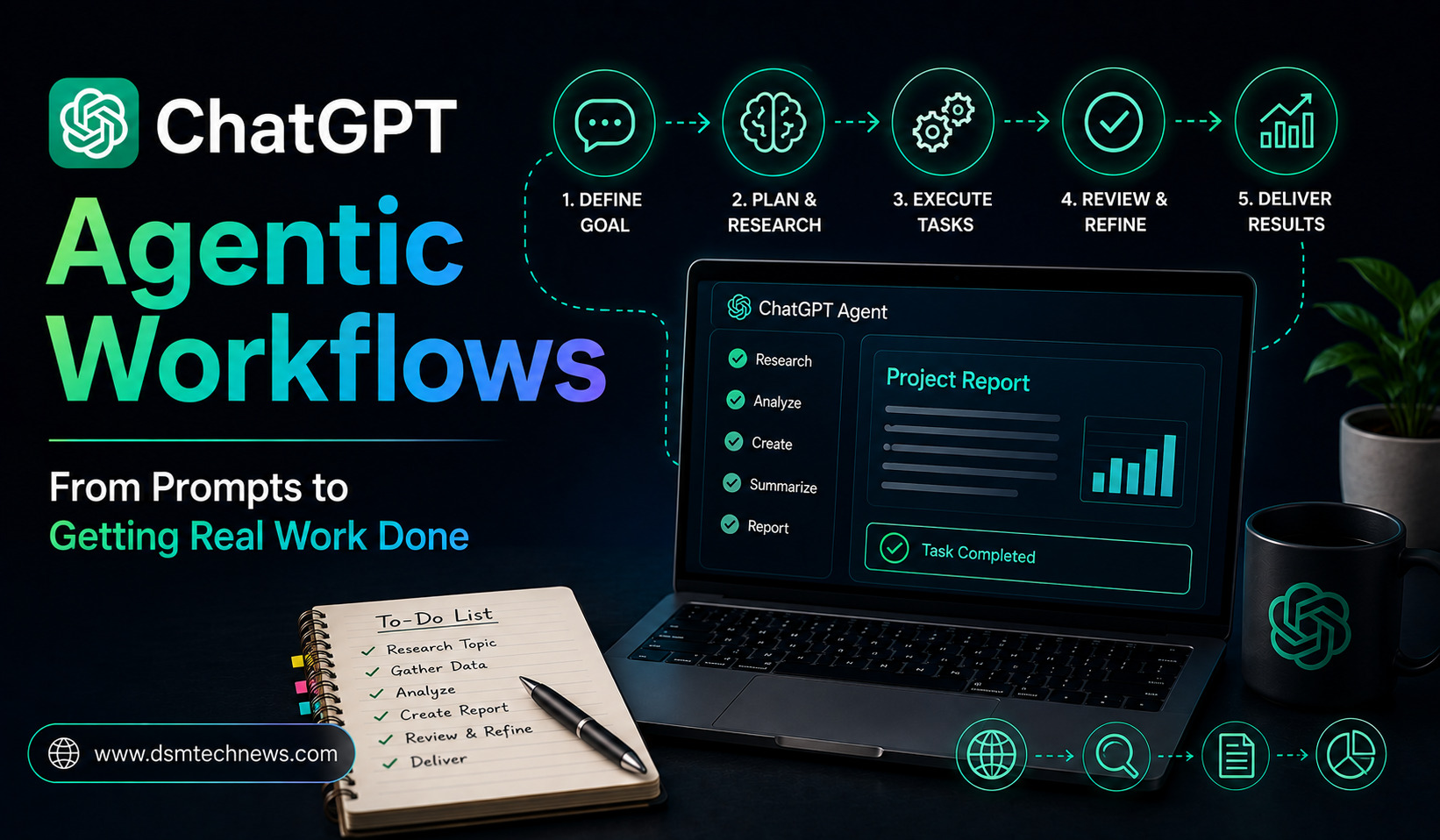
Goal → Plan → Research → Analyze → Execute → Review → Deliver
The important difference is that the user is describing the desired outcome, rather than manually controlling every individual step.
For example, instead of asking:
“Give me five competitors of this company.”
you might ask:
“Research five major competitors, compare their products, pricing, positioning, and recent developments, and create a concise competitor-analysis report.”
The second request describes a complete workflow.
ChatGPT Work and Agentic Workflows
OpenAI’s current ChatGPT experience separates Chat and Work.
Chat is intended for fast conversational assistance, questions, brainstorming, search, and everyday help. Work is an agent designed for longer, multi-step work and finished deliverables. It can research information, analyze material, and create documents, spreadsheets, presentations, reports, and Sites.
This makes Work particularly relevant to agentic workflows.
You can start a Work task by providing the objective, adding relevant files and context, and describing the deliverable you want. Projects can also keep related chats, files, and instructions together.
The goal is to move from “What should I ask ChatGPT?” to “What outcome do I want ChatGPT to help me achieve?”
From Prompt Engineering to Goal Setting
Traditional prompt engineering often focused on finding the perfect wording.
That still matters, but agentic workflows put more emphasis on defining the goal and constraints.
OpenAI’s prompting guidance recommends clearly identifying the task, providing necessary context, specifying the desired output, and breaking complex requests into manageable pieces when appropriate.
For agentic work, a useful instruction usually includes five things:
Goal: What should be accomplished?
Context: What information should the AI use?
Constraints: What rules or limitations should it follow?
Tools: Which sources, files, websites, or connected apps can it use?
Deliverable: What should the final result look like?
For example:
“Research the Indian AI software market in 2026. Use recent information from reputable sources and prioritize official company and government material. Compare the five largest relevant companies, identify major trends and risks, and create a 1,500-word report with citations and a short executive summary.”
This is much closer to an agentic instruction than a traditional question.
Give the AI Context Before Asking It to Act
An agent can only work effectively with the information it can access.
Before starting a task, provide the files, background information, previous research, examples, or connected sources that matter.
For a marketing project, this could include:
Brand guidelines + previous campaigns + customer research + product information + performance reports
For a research project:
Research papers + datasets + notes + previous findings + source requirements
For a business report:
Spreadsheets + internal documents + previous reports + relevant external research
OpenAI recommends giving Work the real context behind a task, such as calendars, messages, emails, documents, dashboards, spreadsheets, trackers, presentations, and discussion history, when those sources are relevant and available.
The more useful context the workflow has, the less time you may need to spend correcting assumptions later.
Use Projects as the Workflow’s Workspace
Projects can provide a useful foundation for long-running agentic work.
A Project keeps related chats, files, and instructions together. This means a recurring workflow does not have to begin from an empty conversation every time.
Imagine you manage a technology website.
You could create a Project containing:
Editorial guidelines + target audience + SEO strategy + previous articles + keyword research + reference documents
Then you could use the Project as the environment for researching topics, creating outlines, drafting articles, reviewing content, and preparing supporting material.
This is much more efficient than repeatedly explaining your website’s requirements in separate conversations.
Connect AI to the Tools You Already Use
Agentic workflows become more powerful when AI can access relevant external tools and information.
ChatGPT apps can connect the platform to external tools, information, and actions. Depending on the app and permissions, they can allow ChatGPT to search, reference, or work with information without requiring you to manually copy everything into the conversation.
For businesses, this can be especially important.
A workflow might involve information from a document repository, communication system, customer database, spreadsheet, or project-management tool.
Instead of manually moving information between systems, connected tools can help bring the relevant context into the workflow.
Of course, access should always be limited to information and systems you are authorized to use.
Let ChatGPT Handle Multi-Step Research
Research is one of the clearest examples of an agentic workflow.
A simple ChatGPT prompt might ask for an explanation of a subject.
A larger workflow could ask ChatGPT to:
Define the research question → find sources → compare evidence → identify trends → analyze contradictions → organize findings → create a report
Deep Research is designed for complex investigations involving multiple sources, while Work can also perform longer research and analysis tasks.
For important research, don’t simply accept the final answer. Review citations, inspect original sources, and verify critical claims.
Turn Research Into a Finished Deliverable
One of the biggest benefits of agentic workflows is moving beyond research into production.
Suppose you need a market report.
Instead of asking ChatGPT separately to research the market, summarize the research, create an outline, write the report, and prepare a presentation, you can define the entire outcome.
For example:
“Research the market, identify the major findings, organize the information into an executive report, and create a presentation summarizing the findings.”
Work is designed to create finished deliverables such as documents, spreadsheets, presentations, reports, and Sites.
This doesn’t eliminate the need for human review. It simply moves more of the repetitive work into one workflow.
Use Browser-Based Workflows Carefully
Agentic AI can also interact with websites.
ChatGPT’s current cloud browser can perform supported tasks on public websites, including navigating pages, entering information into supported fields, and combining website actions with information from connected apps. It pauses when it needs more information or confirmation.
For example, it may help compare public product availability, find flights, check restaurant availability, or contact businesses through supported public forms.
However, cloud browser currently has important limitations. At launch, it does not accept credentials, use password managers, sign in to websites, or complete payments.
The built-in desktop browser has broader capabilities, including supported sign-ins and downloads, but users should still review the active account and approve website access carefully.
Create Recurring Workflows
Agentic workflows become even more useful when a task happens repeatedly.
Instead of manually asking ChatGPT to perform the same task every Monday, you can use Scheduled Tasks where available.
ChatGPT supports one-time and recurring scheduled tasks and can also check for changes and notify users when meaningful updates occur.
For example, a recurring workflow could generate a weekly business update, monitor a topic for changes, or prepare a regular summary.
The important distinction is that automation works best when the task has a predictable structure and clear output.
Build Repeatable Workspace Agents
Businesses can take agentic workflows further with Workspace Agents.
OpenAI describes Workspace Agents as agents designed for repeatable tasks and workflows. They can be connected to approved tools and apps, shared with teammates, run on schedules, and triggered through supported mechanisms.
For example, a company could create an agent that reviews incoming information, checks it against internal documentation, prepares a standardized summary, and hands the result to the appropriate team.
This is different from using ChatGPT for one-off brainstorming.
It turns AI into part of an organization’s recurring operating process.
A Practical Agentic Workflow for Content Creators
Content creation provides a simple example.
Instead of asking:
“Write a blog about AI agents.”
you could define the complete workflow:
“Research the latest developments in AI agents. Prioritize official sources and reputable publications. Identify the most useful developments for general users. Create an SEO-focused article outline, draft the article in a natural style, suggest a meta title and description, identify opportunities for internal links, and create five social-media post ideas. Flag any claims that require additional verification.”
This gives AI a sequence of related objectives.
You can still review each stage, but you don’t need to manually initiate every step.
A Workflow for Business Research
A business owner could use a similar approach:
“Analyze the current Indian market for [product]. Research major competitors, pricing, customer trends, recent developments, and potential risks. Prioritize reliable sources. Organize the findings into an executive summary, competitor analysis, opportunities, risks, and recommendations. Create a spreadsheet containing the key comparison data and a presentation summarizing the findings.”
This is the type of multi-stage assignment that demonstrates why agentic workflows are different from ordinary chatbot conversations.
Keep Human Review in the Workflow
Agentic does not mean autonomous without supervision.
AI can make incorrect assumptions, misunderstand instructions, use an inappropriate source, or take an action you did not intend.
OpenAI’s documentation emphasizes user oversight and confirmations for consequential actions, while also warning about risks such as prompt injection when agents interact with websites and connected apps.
For this reason, build review points into important workflows.
For example:
Research → review sources → analysis → review findings → final deliverable → human approval
This is particularly important when an AI workflow involves money, confidential information, legal commitments, account changes, or communication with external parties.
Avoid Vague Instructions
One of the biggest mistakes in agentic workflows is giving the AI too much freedom without defining the desired outcome.
A prompt such as:
“Check my email and handle everything.”
is unnecessarily broad and can create privacy and safety problems. OpenAI specifically recommends avoiding vague, open-ended instructions for agent tasks.
A better instruction is:
“Review today’s client emails. Identify messages that require a response, summarize each one, and draft suggested replies. Do not send anything.”
The second workflow has a clear scope and a clear stopping point.
Think in Outcomes, Not Individual Prompts
The biggest mindset shift is simple.
Don’t ask:
“What prompt should I write next?”
Ask:
“What work needs to be completed, and which parts can AI safely handle?”
That might mean research, data collection, document analysis, drafting, formatting, comparison, or repetitive monitoring.
Once you identify the workflow, ChatGPT can help determine how to break it into stages.
Final Thoughts
ChatGPT agentic workflows represent a shift from AI that answers questions to AI that helps complete work.
Regular Chat remains valuable for conversations, brainstorming, explanations, and quick tasks. But Work and other agentic capabilities are designed for longer assignments where AI can research, analyze information, use tools, create deliverables, and continue through multiple stages.
The best workflows are not necessarily the ones that give AI complete freedom. They are the ones that combine clear goals, useful context, appropriate tools, defined constraints, and human review.
Start with one repetitive task. Define the desired outcome, give ChatGPT the information it needs, let it handle the appropriate steps, and review the result.
That is the practical move from writing prompts to getting real work done.
For years, using ChatGPT usually meant asking a question and receiving an answer. You wrote a prompt, waited for the response, reviewed it, and then…