
Pounce: Managing Access Between AI Coding Agents

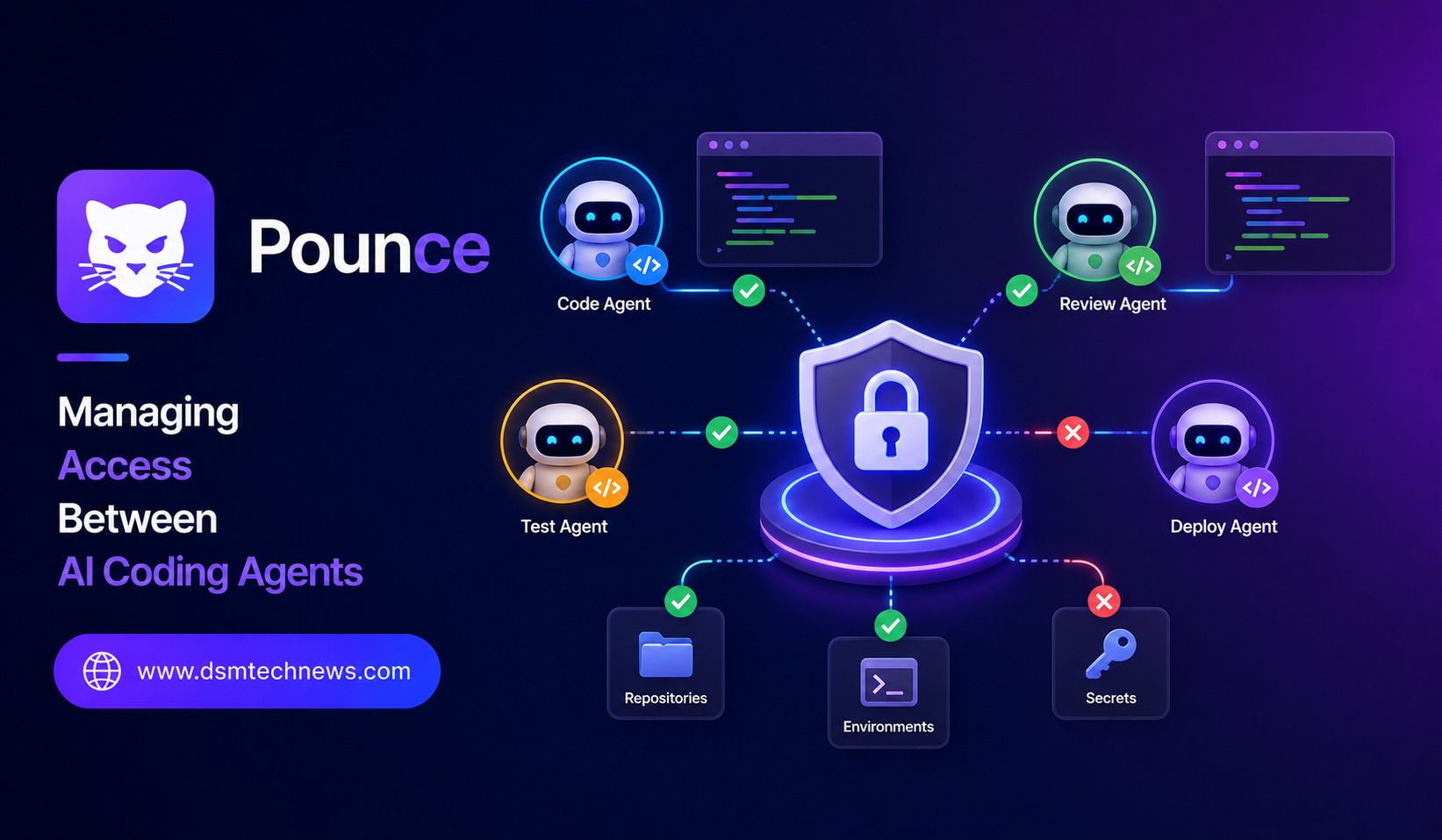
AI coding agents are becoming an important part of modern software development. Developers can now use AI systems to write code, inspect repositories, run tests, debug problems, modify files, and perform other development tasks with increasing levels of independence.
But as AI coding agents become more capable, a new challenge is emerging: how should access be managed when multiple AI agents are working on the same codebase?
This is where tools such as Pounce fit into the broader AI development ecosystem. The concept focuses on managing access and coordination between AI coding agents, helping developers control what different agents can access and reducing the risk of conflicting changes.
As organizations move toward AI-assisted development, access management may become just as important as the ability to generate code.
What Is Pounce?
Pounce can be understood as a tool or workflow for managing access between AI coding agents.
Modern development environments may involve several AI agents performing different responsibilities. One agent might work on backend code, another could analyze tests, and another might investigate a bug.
If all of these agents have unrestricted access to the same files, tools, or development environments, problems can occur.
An agent could unintentionally modify another agent’s work, access files it does not need, or make changes that interfere with a different task.
Access management provides a way to establish boundaries.
Instead of allowing every AI agent to operate everywhere, developers can control which resources an agent can see, modify, or interact with.
Why Access Control Matters for AI Agents
Traditional software applications have long used permissions and access controls. AI agents make these systems more important because agents can potentially take actions rather than simply provide suggestions.
A coding assistant that only generates code in a chat window presents relatively little operational risk. An autonomous coding agent that can edit files, execute commands, install packages, and interact with development infrastructure has a much larger scope of activity.
When multiple agents are involved, the complexity increases.
Developers need to answer questions such as:
- Which files can each agent access?
- What commands can an agent execute?
- Can one agent modify another agent’s work?
- Which environments can an agent use?
- How are conflicting changes handled?
- What actions require human approval?
A structured access model can help answer these questions.
Managing Multiple Coding Agents
Imagine a development team using several AI agents simultaneously.
One agent is tasked with fixing a frontend issue. Another is updating an API. A third is writing automated tests.
If every agent works independently without boundaries, they could potentially change shared configuration files or modify code that another agent is currently working on.
This can create conflicts and make it difficult to determine which agent caused a problem.
An access-management layer can help separate responsibilities.
Each agent can be given access to the resources necessary for its assigned task while limiting unnecessary permissions.
This creates a more organized environment for multi-agent development.
The Principle of Least Privilege
One of the most important concepts in access management is least privilege.
The principle is simple: an agent should receive only the permissions it needs to complete its task.
For example, an AI agent responsible for modifying frontend components may not need access to production infrastructure or confidential configuration files.
Similarly, an agent working on tests may need to read application code but may not need permission to modify deployment settings.
Applying least privilege can reduce the potential impact of mistakes.
If an agent behaves incorrectly, its limited access can prevent the problem from spreading to unrelated parts of the project.
Isolating AI Development Work
Isolation can also make AI-assisted development easier to manage.
Developers may assign different agents to separate branches, workspaces, containers, or other isolated environments.
Each agent can then work on its assigned task without immediately interfering with other agents.
Once the work is completed, developers can review the changes and decide whether they should be merged.
This approach creates a controlled workflow:
Assign task → Provide limited access → Agent works → Review changes → Test → Merge
The human review step remains particularly important when AI agents have significant autonomy.
Reducing Conflicts Between Agents
Multiple AI agents can sometimes make overlapping changes.
For example, two agents might notice the same bug and attempt different fixes. Alternatively, one agent could update a function while another modifies the same file.
Without coordination, merging their work may become difficult.
Access management can reduce these situations by assigning clear ownership or boundaries.
Agents can be given specific directories, tasks, or environments rather than unrestricted access to an entire repository.
This does not eliminate every conflict, but it can make collaboration more predictable.
Security Benefits
Security is one of the strongest reasons to control AI agent access.
Coding agents may interact with sensitive resources, including source code, environment variables, credentials, internal documentation, databases, and cloud infrastructure.
Giving every agent unrestricted access increases the potential consequences of an error or security incident.
A permission-based architecture can limit exposure.
For example, an agent performing routine code analysis might only need read access to a repository. Another agent responsible for implementing changes may require write access to a specific project area.
Production systems can remain separated from development environments.
This type of segmentation follows security practices that are already common in traditional software systems.
Human Oversight Still Matters
Access management does not eliminate the need for human supervision.
AI agents can misunderstand requirements, introduce bugs, or make changes that technically work but do not align with the project’s architecture.
Developers should therefore review important changes before they become part of the production codebase.
Organizations can also define approval levels based on risk.
Low-risk changes might be allowed automatically, while changes involving security configurations, production infrastructure, or sensitive data could require explicit human approval.
This creates a balance between automation and control.
Pounce and Developer Productivity
Although access controls may sound restrictive, they can actually improve productivity.
When developers know exactly what each AI agent is responsible for, they can delegate tasks more confidently.
Instead of constantly monitoring every action, developers can establish boundaries and allow agents to work within them.
This can make multi-agent development more scalable.
For example, a developer could assign one AI agent to investigate a bug while another prepares tests. Because their environments and permissions are controlled, both agents can work in parallel with fewer opportunities for interference.
The developer can then review the results and integrate the useful changes.
Challenges of AI Agent Access Management
Managing permissions between AI agents is not completely straightforward.
Developers need to understand what an agent actually requires before assigning permissions. Giving too little access can prevent the agent from completing its task, while giving too much can create unnecessary risk.
There is also the challenge of managing temporary permissions.
An agent may need access to a resource for only one particular task. Organizations need systems that can grant and revoke permissions efficiently.
Monitoring is equally important.
Teams should be able to see what actions an AI agent performed, which files it accessed, and what changes it made. Good visibility makes troubleshooting and auditing easier.
The Future of Multi-Agent Software Development
As AI coding agents become more autonomous, access management is likely to become a fundamental part of development infrastructure.
Future development environments may treat AI agents as independent digital workers with their own identities, permissions, workspaces, and responsibilities.
Instead of simply asking an AI to write code, developers may assign an agent a complete software task with controlled access to the tools required to complete it.
Multiple agents could work simultaneously while an orchestration layer manages permissions and coordinates their activities.
This could transform software development into a collaborative environment involving both human developers and specialized AI workers.
Conclusion
Pounce highlights an important challenge in the rise of AI coding agents: managing access between autonomous development systems.
As developers use more AI agents to write code, test applications, investigate bugs, and manage development workflows, unrestricted access can create security risks and collaboration problems.
Effective access management can provide a safer structure by limiting permissions, isolating work, reducing conflicts, and keeping humans involved in important decisions.
The future of AI-assisted software development will not depend only on how intelligent coding agents become. It will also depend on how safely and effectively developers can control what those agents are allowed to do.
By combining capable AI agents with strong permissions, isolation, monitoring, and human oversight, development teams can take advantage of multi-agent automation without giving up control of their software environments.
AI coding agents are becoming an important part of modern software development. Developers can now use AI systems to write code, inspect repositories, run tests, debug problems, modify files, and perform other development tasks with increasing levels of independence. But as AI coding agents become more capable, a new challenge is emerging: how should access…