
ChatGPT Projects: The Complete Guide for Work and Research

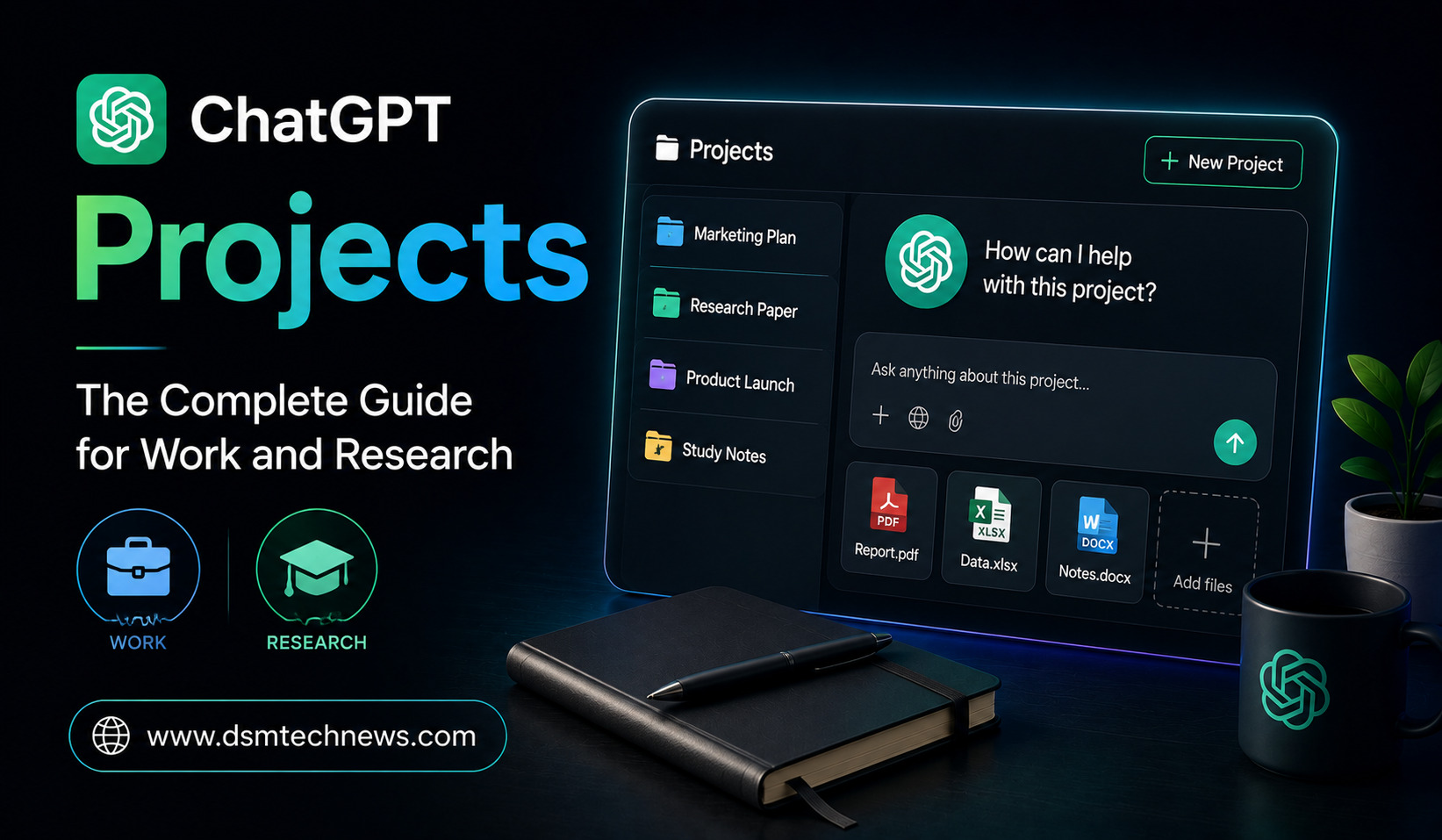
ChatGPT Projects have become one of the most useful ways to organize long-running work inside ChatGPT. Instead of starting a new conversation every time you need help with a particular task, Projects let you keep related chats, files, instructions, and context together in one dedicated workspace.
This makes Projects especially useful for work, research, content creation, studying, planning, and recurring tasks. Rather than repeatedly explaining your goals or uploading the same reference materials, you can build a workspace that stays focused on a particular subject.
In 2026, Projects are available across ChatGPT’s free and paid plans, while collaboration features and some limits can vary by plan.
What Are ChatGPT Projects?
A ChatGPT Project is essentially a dedicated workspace for a specific goal or ongoing area of work.
Inside a Project, you can keep conversations, upload reference files, and add Project-specific instructions. ChatGPT can then use that context to provide more consistent responses as your work develops.
For example, instead of having separate chats for researching an article, analyzing sources, creating an outline, and editing the final draft, you could create one Project called “AI Research 2026.”
You could then keep your research papers, notes, previous conversations, writing instructions, and drafts inside that Project.
The main idea is simple: keep everything related to one ongoing goal in one place.
Why Projects Are Useful for Work
Traditional ChatGPT conversations can become difficult to manage when a project continues for weeks or months. Important instructions may be buried in older chats, while reference documents may need to be uploaded repeatedly.
Projects reduce this problem by keeping relevant information together.
Imagine you are managing a product launch. You could create a Project containing the product brief, marketing guidelines, customer research, competitor information, campaign ideas, and previous discussions.
When you return later, you can continue working from that shared context rather than starting from zero.
This can be particularly useful for marketers, writers, researchers, managers, developers, students, and business owners working on projects that evolve over time.
How to Create a ChatGPT Project
Creating a Project is straightforward.
Open ChatGPT and select New Project from the sidebar. Give your Project a meaningful name and choose an icon or color if you want to make it easier to identify.
Once the Project has been created, you can add files and Project instructions or move eligible existing chats into it.
The name should describe the overall goal rather than a single task.
For example, “Website SEO Strategy” is more useful than “Blog Article 1” if you expect to use the Project for multiple SEO-related tasks.
Add Files as Your Knowledge Base
One of the most powerful features of Projects is the ability to add reference material.
Depending on your plan and available features, you can add PDFs, documents, spreadsheets, images, pasted text, and other supported sources. ChatGPT can use these materials when responding to questions within the Project.
For research, you might add academic papers, reports, interview transcripts, notes, and datasets.
For business work, you could add product documents, proposals, presentations, customer research, or brand guidelines.
This gives ChatGPT a consistent collection of reference material to work from.
However, uploading a document does not mean every answer will automatically be perfect. For important information, especially statistics, financial figures, legal claims, and research findings, you should still verify the response against the original source.
Use Project Instructions to Control Responses
Project instructions are another important part of the system.
You can tell ChatGPT how you want it to behave within a particular Project. These instructions apply specifically to that Project and can override your global custom instructions.
For example, a research Project could have instructions such as:
“Act as a research assistant. Separate facts from interpretation, identify unsupported claims, and use a professional academic tone.”
A content-writing Project could instead instruct ChatGPT to maintain a specific writing style, audience, structure, and SEO approach.
This means you don’t have to repeat the same instructions in every conversation.
Projects for Research
Projects can be particularly valuable for long-term research.
Suppose you are researching the impact of artificial intelligence on small businesses. You could create a Project and gradually add research papers, industry reports, news sources, notes, interview transcripts, and previous analyses.
You could then use different chats for different stages of the research.
One conversation could focus on collecting important findings. Another could analyze competing arguments. A third could help organize your research into sections.
Because these conversations and resources remain within the Project, it becomes easier to continue the research without constantly rebuilding the context.
Project-only memory can provide an additional layer of separation by keeping the relevant conversational context within that specific Project rather than drawing on conversations outside it.
Projects for Content Creation
Bloggers and content creators can also use Projects to build repeatable workflows.
For example, you could create a Project called “Technology Blog 2026” and add your editorial guidelines, preferred tone, target audience information, keyword research, previous articles, and content strategy.
You could then use the Project for topic research, outlines, drafts, revisions, SEO optimization, and content updates.
Because your instructions and reference materials stay together, ChatGPT can produce more consistent content across multiple conversations.
This is especially useful when maintaining a website where dozens or hundreds of articles need to follow similar editorial standards.
Projects for Business Teams
Projects are not limited to individual users. Shared Projects can allow teams to work with the same project context, including files, instructions, and chats, when the feature is available to their account or workspace.
A marketing team, for example, could create a Project for a product campaign.
The team might keep the campaign brief, brand guidelines, customer research, content drafts, and performance reports in the same place.
Team members can then ask ChatGPT questions based on the shared context instead of maintaining separate copies of information.
This can reduce duplicated work and help teams stay aligned.
Moving Existing Chats Into a Project
You don’t necessarily have to start everything from scratch.
Eligible existing conversations can be moved into a Project. After a chat is moved, it inherits the Project’s instructions and file context.
This can be useful if you already have important conversations related to a project.
For example, if you previously discussed a marketing strategy in a normal ChatGPT conversation, you may be able to move that conversation into your marketing Project and continue from there.
Projects vs Regular Chats
A regular chat is ideal for quick, self-contained questions.
If you want to ask how a particular technology works, brainstorm a few ideas, or get help with a one-time task, you may not need a Project.
A Project becomes more useful when the work continues over time.
If you repeatedly return to the same topic, use the same documents, follow the same instructions, or build toward a larger deliverable, a Project can provide a much better structure.
Think of a regular chat as a single conversation and a Project as a workspace for an ongoing body of work.
Projects vs Custom GPTs
Projects and custom GPTs can appear similar, but they serve different purposes.
A custom GPT is designed around a customized assistant, knowledge, instructions, and tools. Projects are designed around an evolving body of work that accumulates chats, files, instructions, and context.
OpenAI describes Projects as particularly suitable for ongoing work where the context changes over time, while GPTs are better suited to reusable, curated expertise or standardized workflows.
For example, a company could create a custom GPT that provides standardized HR guidance, while using a Project to manage an ongoing recruitment campaign with changing documents and conversations.
Use Voice, Web Search and Other Tools Inside Projects
Projects can also work with many of the tools available in regular ChatGPT conversations, depending on your plan and settings.
These can include voice conversations, web search, image generation, Canvas, study tools, and other capabilities.
That means a Project can become more than a place to store documents.
You can research information, discuss your files through voice, create visuals, analyze information, draft documents, and continue developing ideas within the same broader workspace.
Best Practices for Using ChatGPT Projects
The biggest mistake is creating Projects without a clear purpose.
Each Project should ideally have a defined subject, goal, or workflow. Keep related files together and remove outdated material when it is no longer relevant.
Project instructions should also be specific. Tell ChatGPT what role it should play, who the intended audience is, what tone to use, and how you want information presented.
For research, explain how sources should be evaluated. For content creation, define your editorial style. For business work, specify the goals, terminology, and important constraints.
A well-organized Project can produce much more consistent results than a collection of unrelated conversations.
Final Thoughts
ChatGPT Projects are designed to make AI more useful for work that doesn’t end after one conversation.
By combining chats, files, instructions, memory, and tools in one workspace, Projects can help you maintain context and continue working toward a larger goal without repeatedly starting from scratch.
For researchers, Projects can become organized research environments. For professionals, they can serve as ongoing workspaces. For content creators, they can provide a consistent writing environment. And for teams, shared Projects can create a common space for collaboration.
If you regularly use ChatGPT for the same project over several days or weeks, creating a dedicated Project can be one of the simplest ways to make your workflow more organized, consistent, and efficient.
ChatGPT Projects have become one of the most useful ways to organize long-running work inside ChatGPT. Instead of starting a new conversation every time you…